


TreasuryBox, my free tool for treasury-making on Etsy, has been used to make over 200,000 treasuries. I’ve been humbled by the response and proud that so many people find it fun and easy to use. My priority with TreasuryBox is to make picking items and visualizing your treasury fast and easy – but it also has some other time-saving features. Increase your treasury-making speed with the 5 tips below!
Notify featured shops
Sending convos to shops featured in your treasury is a hot topic. Some curators feel that convos are unnecessary, since treasury activity shows up on the Etsy activity feed; just as many argue that things are easily lost or ignored in their activity feed, and they appreciate a convo.
If you decide to send convos, TreasuryBox can save a huge amount of time by notifying all 16 featured shops in two clicks. Simply save the treasury, then click “Send Notifications” in the curator tools on the right side of the page. Enter a subject and message to send to all the featured shops – TreasuryBox will automatically include a link to that seller’s featured item and a link to the treasury. Click Send and watch the convos fly! The subject and message you enter will be saved to send notifications even faster next time.
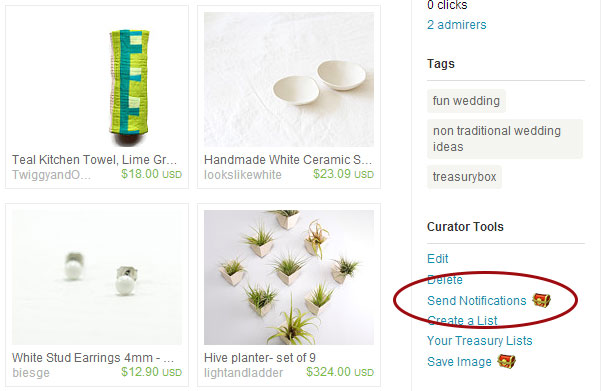
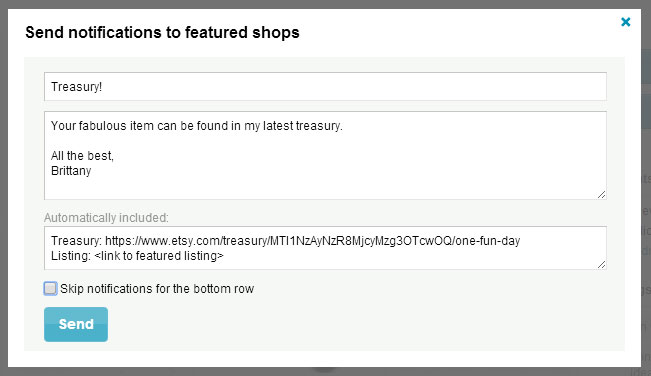
The Send Notifications window also has an option to skip notifications for the bottom row. Treasuries that make it to Etsy’s front page only show the first three rows of items; the items in the bottom row are hidden as alternates and pop in if one of the first 12 items sells. Curators who want to notify the prominently-featured sellers but don’t want to bother those in the alternate spots can use this option to have their cake and eat it too!
Treasuries featuring you
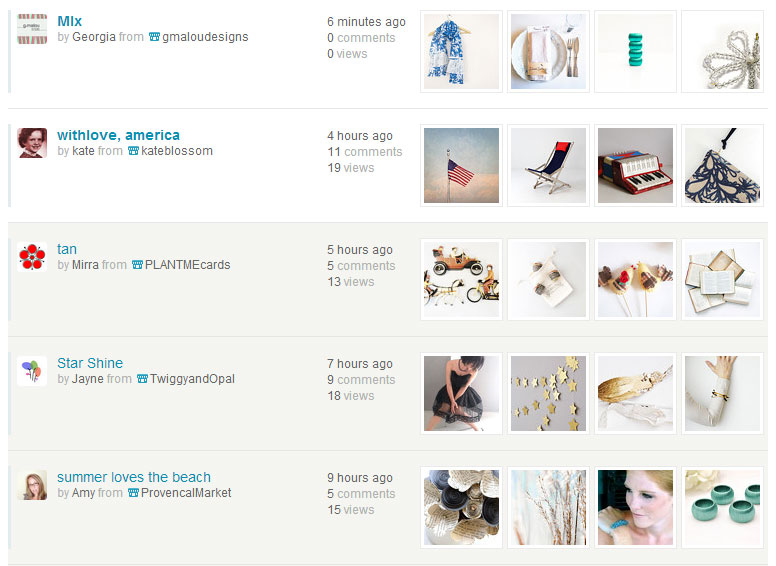
 The only thing better than creating treasuries is having your own items featured in treasuries! TreasuryBox makes it easy to see all the treasuries with your items by adding a “Lists Featuring You” link on Etsy’s treasury page. It’s never been faster to keep up with treasuries that have featured you – even without a convo notification.
To make life even easier, TreasuryBox will dim treasuries on the “Lists Featuring You” page that you’ve already looked at. No need to re-open treasuries to see if you’ve replied.
Item markers
Treasury teams are a great way to promote your items on Etsy, but making sure that your treasuries include team members can be a real time sink. TreasuryBox has an optional feature called item markers that allow you to mark items with one of three colors while you’re creating the treasury. Mark your team members so you make sure to put their items in the top spots – keep track of items from multiple teams with different colors.

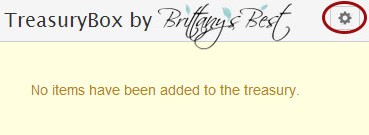 To turn on item markers, click the cog in the upper-right of the treasury window and check the box that says “Show item markers”. Add items to your treasury and click the empty white dots next to the item link to assign a color. Item markers don’t have to be used to mark teammates – some curators use them to mark item price points or themes to ensure a balanced treasury.
Share your treasuries
Posting treasuries to Facebook, Pinterest or Instagram never quite works out. Social media sites pull the first image, or allow you to pick one, rather than capturing the whole treasury as it was artistically arranged. Taking a screenshot is tedious and frustrating.
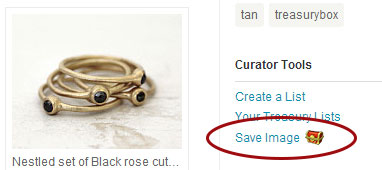 TreasuryBox solves this problem once and for all by adding a “Save Image” link to every treasury on Etsy. Put down the snipping tool and save your Print Screen button – now you can save an image of a treasury you created, or one you were featured in, with one click. Post it, add a link to the treasury, and you’re done!
Undo clear
TreasuryBox was born out of frustration after losing one too many treasuries on Etsy. It’s just too easy to navigate away from the treasury creation page and lose all your work – and the “Add item to treasury” button that Etsy provides makes a private treasury that loses its freshness while you’re building it.
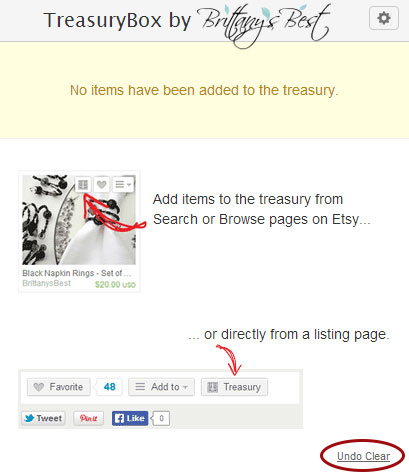 To make sure that you never lose a treasury on accident, TreasuryBox not only saves your treasury across browser sessions and computer reboots – it can also restore a treasury if you accidentally hit the “Clear” button. After clicking “Clear”, open the TreasuryBox popup window and look in the lower right for a subtle – but possibly delightful – “Undo Clear” link. Click it to restore the last treasury you were working on.
If you haven’t tried it before, install TreasuryBox and give it a whirl today. You may just find yourself addicted to making treasuries again! Sign up for my email newsletter to keep in tune with the latest TreasuryBox news.
What’s your favorite TreasuryBox feature?



« 9 Trademarks That May Surprise You Shop Local Colorado: PAGEFIFTYFIVE »
