


Last week, Etsy announced new and improved tools for custom order requests. Since the custom orders feature a private listing for the purchaser, Etsy is now two for three on my list of Missing Etsy Features from 2011. The announcement covers the basics – here we’ll take an in-depth look into this new feature.
Etsy custom orders are opt-in; the setting is under Shop Settings > Options > Request Custom Order. Set this to Enabled and you’ll get a big fat button on your shop urging customers to contact you for custom orders; see it in action on my shop page.
Custom order highlights
- The listing is private – only the intended buyer will see it.
- The Etsy listing fee is not charged until the item is purchased.
- The private listing is currently limited to one photo.
- The buyer is automatically notified when their custom order is ready for purchase.
The nitty-gritty
Custom order requests piggyback on Etsy’s conversations system. When a buyer requests a custom order, it’ll show up as a convo and be placed in both your inbox and a “Custom Requests” folder.
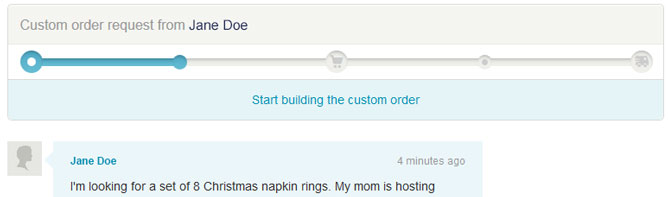
The first contact is a simple convo with the request from the buyer and a “Needed by” date if they entered one. Since it’s a convo, you can go back and forth with the buyer to nail down the specifics – attaching images as needed. The special custom order convos always have a section on top to start building the custom listing.
The custom order listing is a trimmed-down version of a full Etsy listing. It’s sensible to cut out a lot of the listing details – many of the listing fields are unnecessary if you’ve already arranged a buyer and don’t need to catch someone’s eye in search. It does carry the limitation that only one photo can be attached to the listing.
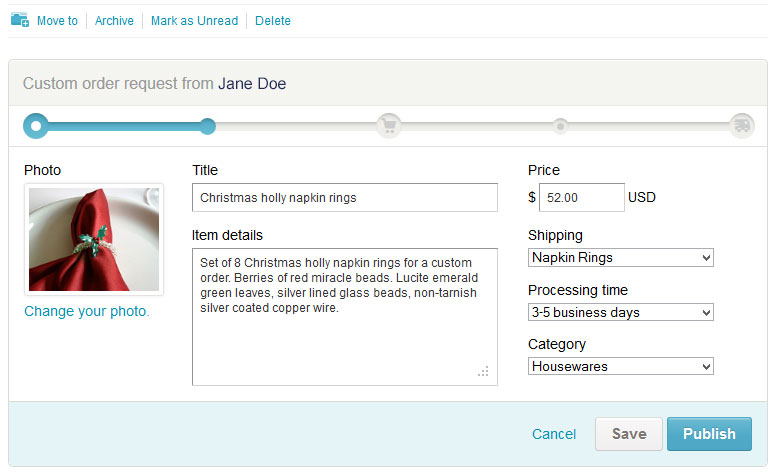
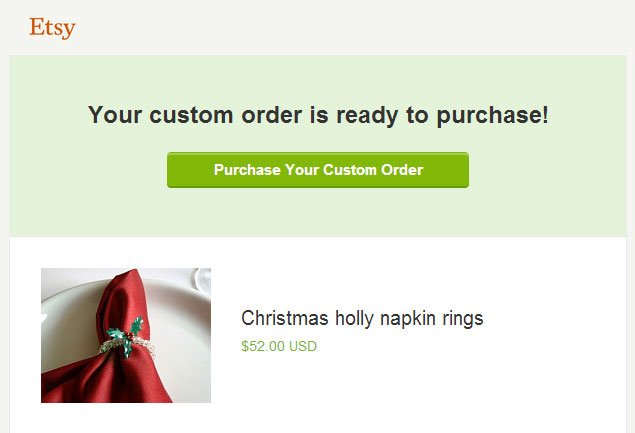
Once you publish the custom order listing, the buyer will be notified automatically via convo and email that the custom order is listed and ready for purchase. The buyer can add the listing to their cart and proceed with Etsy checkout as normal.
Notable is the fact that the listing fee is not charged until the buyer makes the purchase; no longer will sellers be burned by listing fees for custom orders that were never purchased.
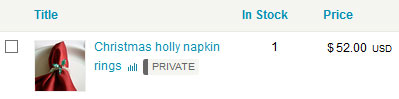
A listing generated from a custom order request shows up in your shop Listings section marked as “Private.” The Edit link from the Listings screen takes you back to the custom request convo with the mini-editor open so you can make changes.
The custom order convo includes a timeline showing the steps in the process – request, listing, order placement and shipping. The timeline only shows once you enter the convo – hopefully Etsy will add an indicator in the “Custom Request” folder view so you can see the status of multiple custom orders at once.
Custom orders have long been a pain point for Etsy sellers; it’s a relief to have an improved process. It doesn’t solve all the world’s problems – there’s no support for split payment, and some sellers find buyers mashing the custom order button rather than using their listing variations – but it’s a great step towards a full-featured custom order process.



« Etsy International: Norway Boost Your Summer Sales: Christmas in July »
